> For the complete documentation index, see [llms.txt](https://documentations.seclea.com/seclea-user-documentation/llms.txt). Markdown versions of documentation pages are available by appending `.md` to page URLs; this page is available as [Markdown](https://documentations.seclea.com/seclea-user-documentation/seclea-web-ui/project-settings/compliance-settings.md).
# Compliance Settings
The AI compliance settings on the Seclea Platform play a crucial role in ensuring your AI projects adhere to various regulatory frameworks and industry standards. By customizing these settings, users can efficiently manage their projects' compliance with evolving regulations across different jurisdictions.
Currently, the platform supports a range of compliance requirements, including the European Union's Artificial Intelligence Act (EU AIA), Canada's Artificial Intelligence and Data Act (AIDA), the US Food and Drug Administration's (FDA) guidelines for AI-based Software as a Medical Device (SaMD), and other emerging regulatory frameworks. Leveraging these compliance settings, users can confidently develop and deploy AI solutions in line with global best practices and maintain a strong commitment to responsible AI development.
Setting up compliance monitoring for an AI project on the Seclea Platform is a straightforward process. By following these steps, you can ensure your project adheres to the necessary regulatory frameworks and industry standards:
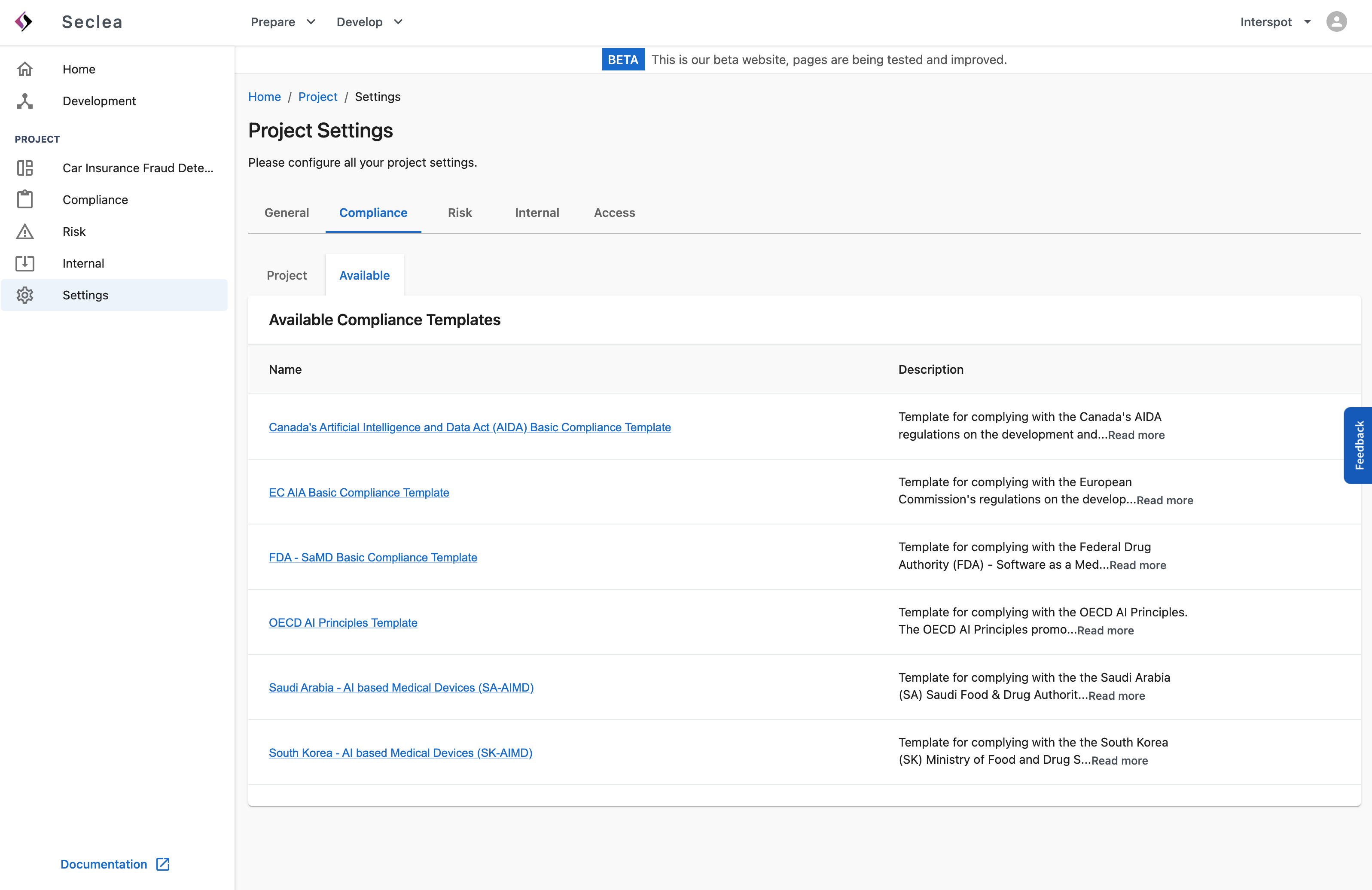
**Step 1:** Familiarize yourself with the list of regulatory compliance options available on Seclea:
* European Commission's Artificial Intelligence Act (EC AIA)
* Canada's Artificial Intelligence and Data Act (AIDA)
* US Food and Drug Administration's AI-based Software as a Medical Device (FDA SaMD)
* Organisation for Economic Co-operation and Development AI Principles (OECD AI Principles)
List of available compliance templates on the Seclea Platform.
**Step 2:** Navigate to your project settings and click on the "Compliance" tab.
{% embed url="" %}
Compliance setting page on the Seclea Platform.
{% endembed %}
**Step 3:** In the "Available" section, you will find a list of available compliance templates. You can choose from the provided templates or create a custom template tailored to your project's specific compliance requirements.
**Step 4:** After selecting a template, configure the necessary settings, including assigning responsible persons and reviewers. The template specifications are divided into categories, controls, and checks:
* **Categories** are logical groupings of controls that organise compliance requirements.
* **Controls** address specific requirements and consist of a collection of checks.
* **Checks** related to individual actions that need to be monitored, recorded, or documented.
{% embed url="" %}
Configuring a compliance template on the Seclea Platform.
{% endembed %}
By completing these steps, you will have successfully set up compliance monitoring for your AI project on the Seclea Platform, ensuring adherence to relevant regulatory frameworks and promoting responsible AI development.\